 Budget Crab
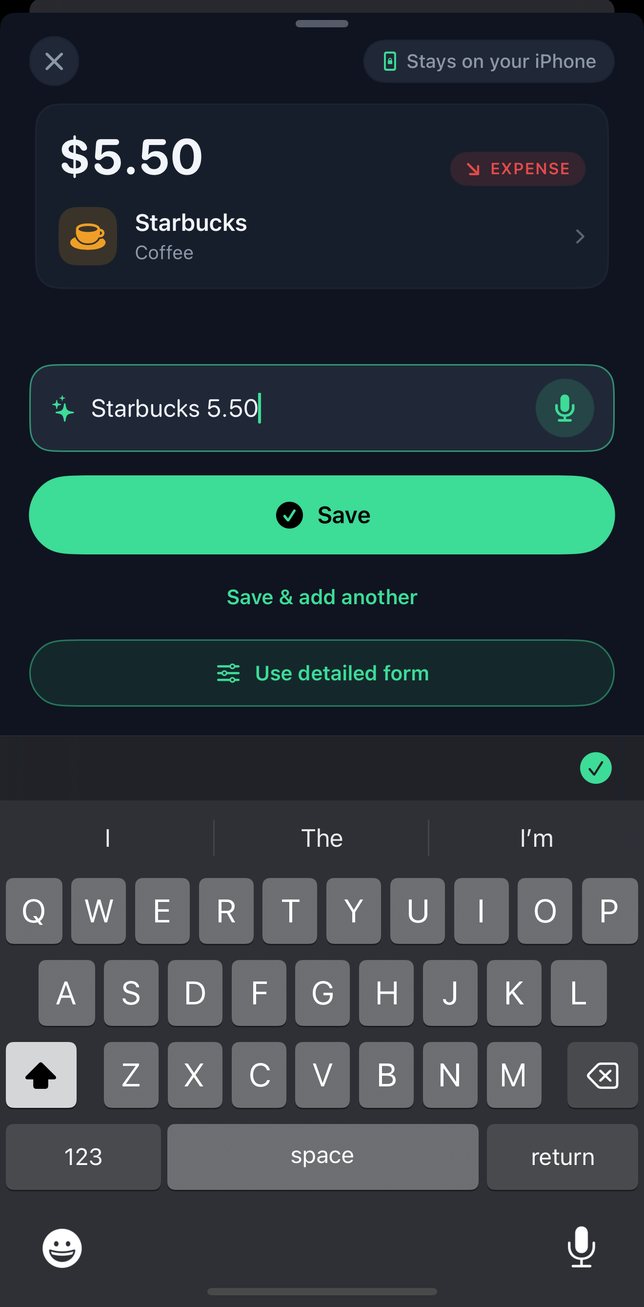
Type it or say it
Amount and a word, in any order. Voice entry is recognised on your iPhone.
Этот сайт есть на русском →Цей сайт є українською →Este sitio también está en español →Este site também está em português →
Expense tracking, on your iPhone
Type or say what you spent. Budget Crab files it under a category and keeps everything on your iPhone. No bank login. No account.
 iOS 17 or later
Type Starbucks 5.50, and Quick entry reads a $5.50 Coffee expense.
How it works
Amount and a word, in any order. Voice entry is recognised on your iPhone.
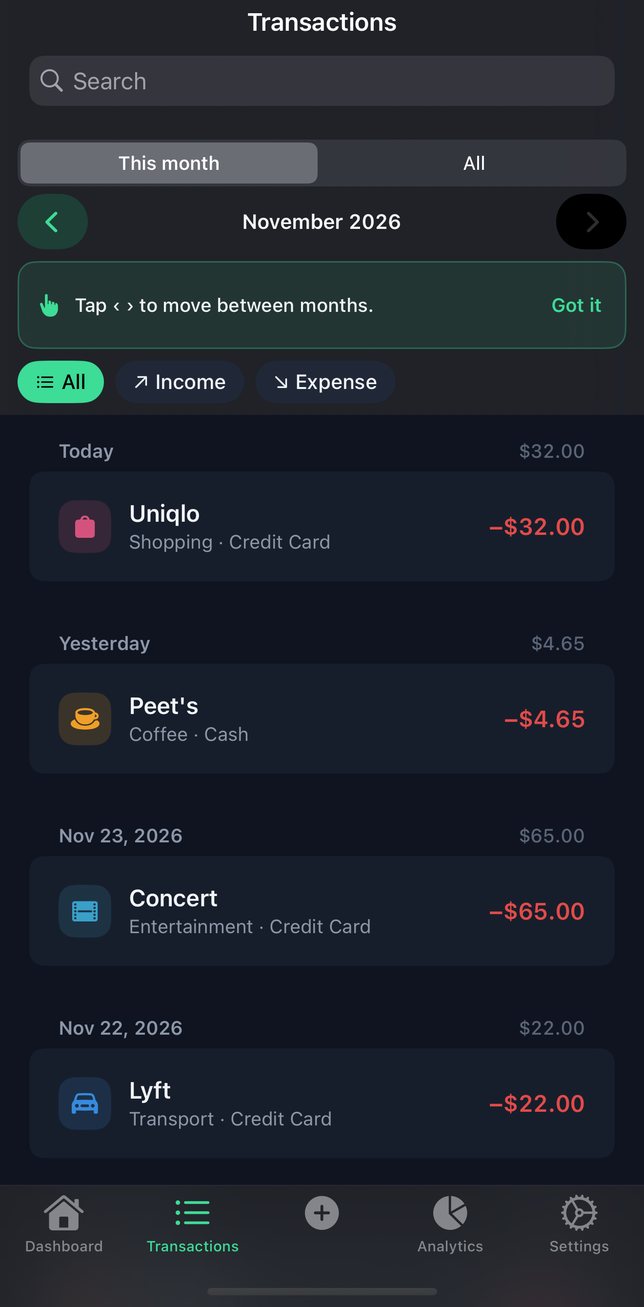
Budget Crab picks a category. Change it once, and the next entry from the same place follows your choice.
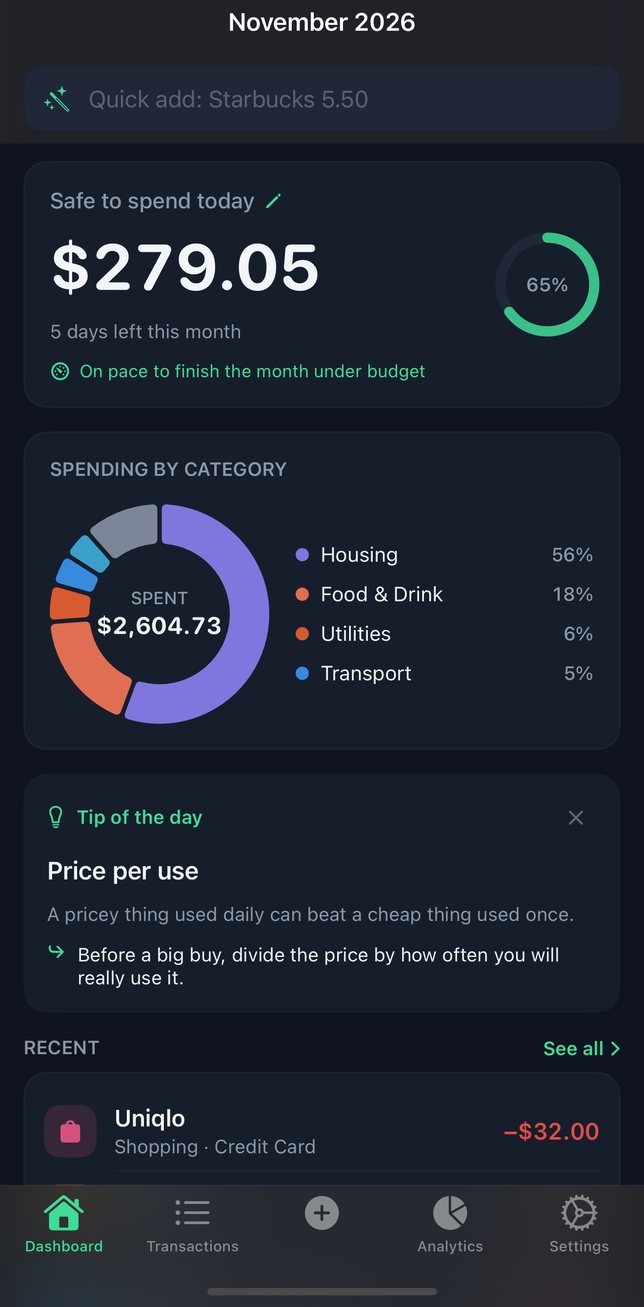
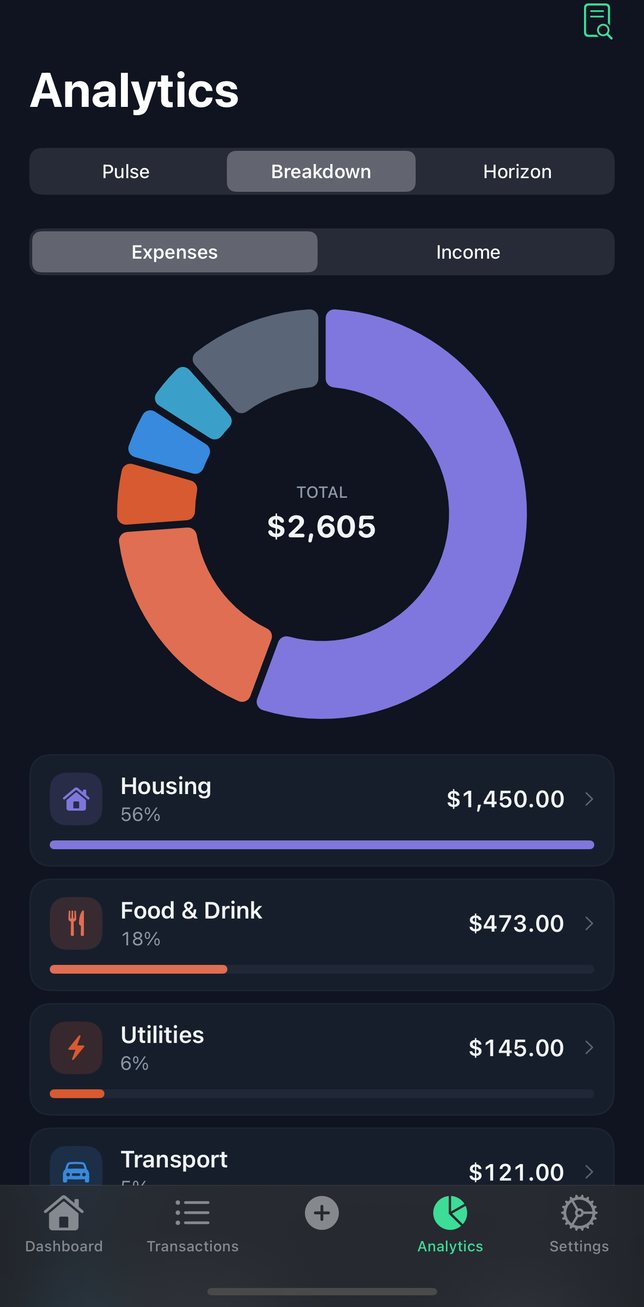
Spending by category, a monthly limit for any category, and the month at a glance.
Privacy
Your data stays on your iPhone. We never receive it. If you use iCloud Backup, your iPhone's backup can include some of it, such as your settings and the widget's summary; Apple encrypts it and we can't read it. The app keeps its transaction database out of the backup, so before moving to a new iPhone, export a CSV.
Reports
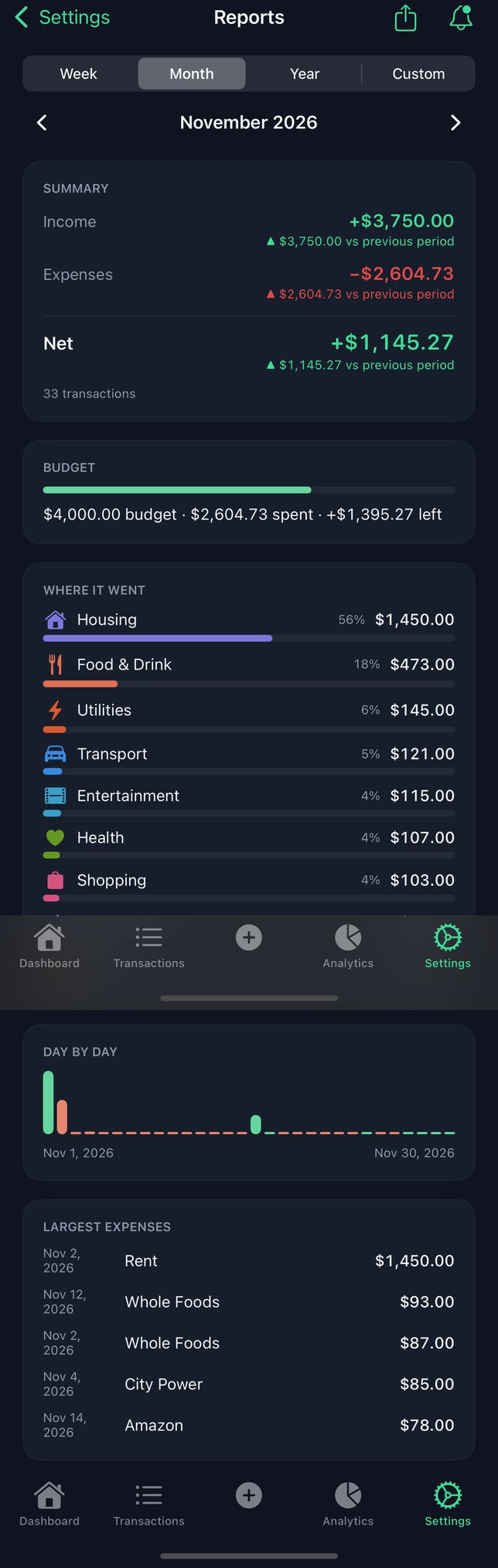
See where the money went for any week, month or year: income, spending, your budget and every category.
Viewing reports is free. Automatic weekly and monthly reports are Premium.
Languages
The app is in:
Voice entry works in these languages too — on your iPhone, when it has on-device dictation for that language. How to add a dictation language
Nothing you enter is sent to us.
iOS 17 or later